
INCIDENT RESPONSE · 13 MIN
A 19-Day Microsoft 365 Compromise—and a Google Workspace Account at Risk
An IR case: device code phishing opened a Microsoft 365 mailbox for 19 days, and a password note in it put a related company's Google Workspace at risk.
How does device code phishing turn into business email compromise, and how far can it reach?
Device code phishing persuades a user to type a short code into Microsoft's genuine sign in page, which approves a login for the attacker without the password ever being stolen, and the victim's own MFA does not stop it. In this case it most likely opened one Microsoft 365 account for 19 days. By our reading the attacker registered a device to the account, had access to about 1,600 messages, impersonated the company to a supplier with lookalike domains and a forged invoice, and finally phished the company's contacts from the mailbox. A password note in the mailbox most likely exposed a related company's Google Workspace shared mailbox, which held super admin rights, for up to about 18 days, and we found no evidence the password was used. Blocking the device code flow, restricting device registration and keeping passwords out of email would each likely have made the incident smaller.
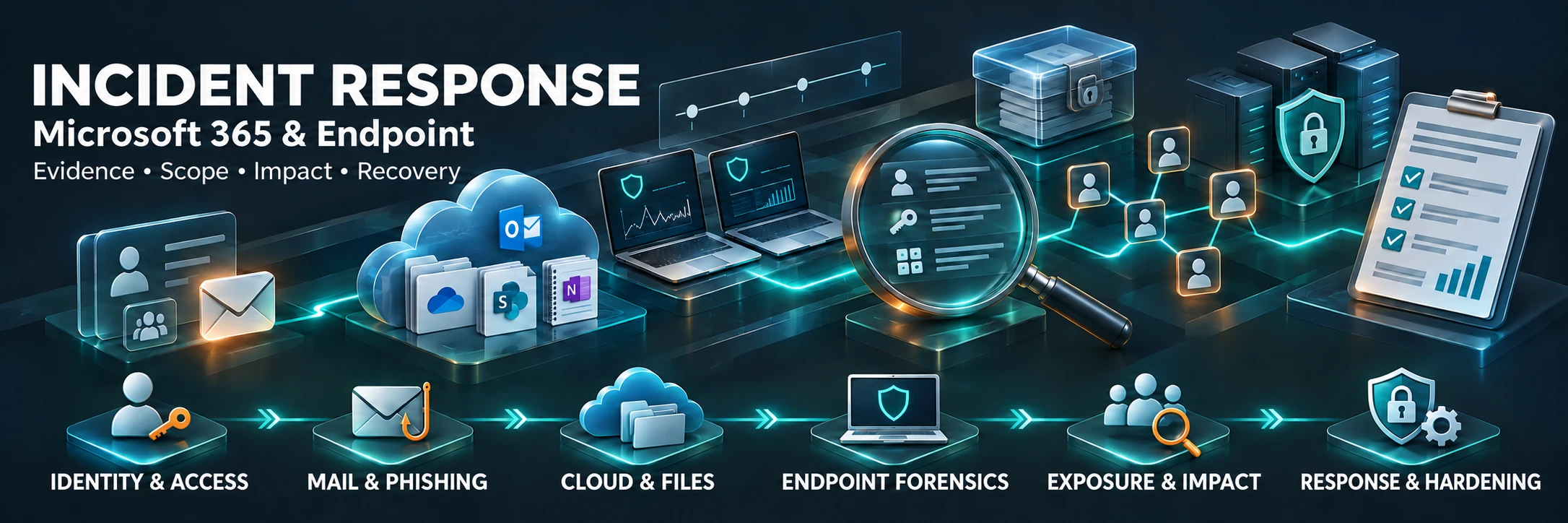
A 19-Day Microsoft 365 Compromise—and a Google Workspace Account at Risk
On the morning the company found out, it did what most companies do.
It reset the password, revoked the account's tokens and sent its first warnings, some of them from the affected mailbox itself.
The attacker was still inside, and read them.
Within about an hour, the same mailbox was sending a phishing campaign to more than two hundred addresses.
This is an account from our incident response desk.
A business email compromise ran for 19 days inside one company's Microsoft 365 tenant before a supplier noticed it.
In that mailbox sat password notes, and one of them most likely held the password of a shared mailbox at a related company, an account with super admin rights over that company's Google Workspace.
The attacker did not have to break into the second cloud to put it at risk.
The password was, most likely, waiting in the first one.
*Both companies and every identifier are generalized.
Names, domains, addresses, dates and some details are deliberately left out.
The sequence, the evidence and the lessons are real.*
The short version
What happened.
At Company A, an employee's Microsoft 365 account was taken over, most likely through device code phishing.
By our reading, a Windows device nobody recognized was registered to the account within minutes.
For 19 days the attacker had access to mail and shared files, impersonated the company to a supplier with lookalike domains and a forged invoice, and finally used the mailbox to phish the company's contacts.
How it was found.
Not by an alert.
The supplier forwarded the suspicious correspondence back to the company.
What crossed over.
Company B is a related company, and the two share people, computers and an office network.
Company B runs Google Workspace.
Among the password notes in the compromised mailbox's Sent Items folder, at least one pointed by its subject line to Company B's shared mailbox, which held super admin rights over Company B's entire tenant.
That password stayed unchanged for up to about 18 days while the attacker could read the notes.
What we found.
On Company A's computers, CrowdStrike showed no activity indicating an intrusion, within the data that existed.
In Company B's Google logs, none of the 224 addresses tied to the attacker appeared.
We classified Company B's shared mailbox as a possible breach at the credential level: the password was most likely exposed, and we found no evidence it was used.
The lesson.
Nothing we found suggests the attack needed a foothold on a computer.
As far as the evidence shows, it lived in identity and mail, and the exposure crossed from one cloud to the other through a note someone had emailed to themselves.
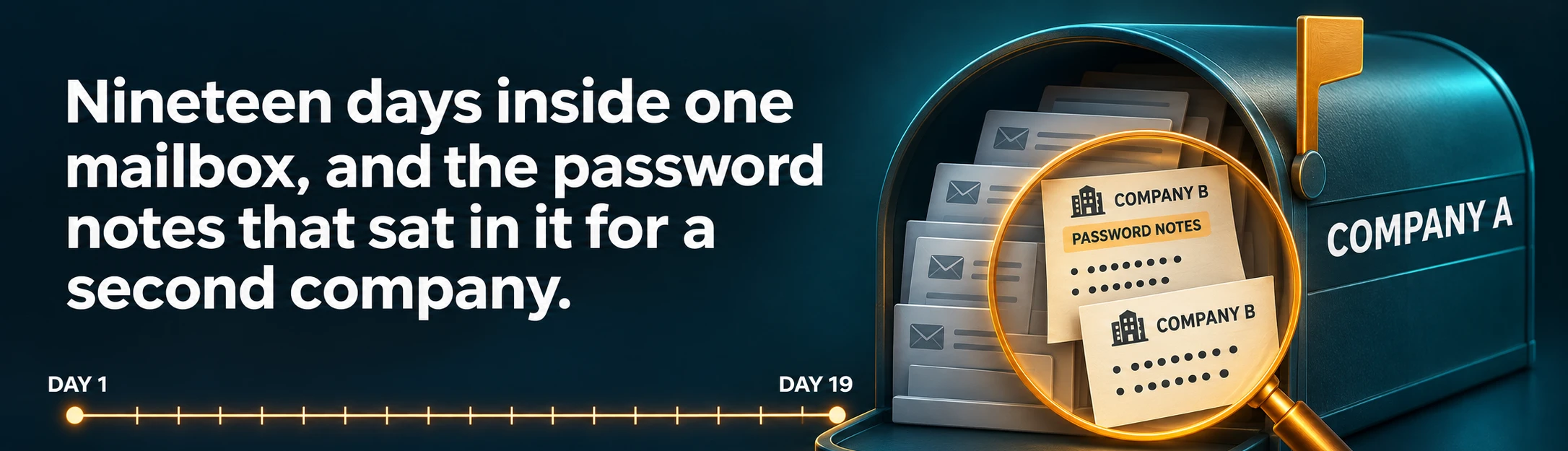
*Figure 1.
Nineteen days inside one mailbox, and the password notes that sat in it for a second company.
Generalized, illustrative.*
Day one: a code on a real Microsoft page
Device code phishing does not steal a password.
The victim is persuaded to type a short code into Microsoft's genuine sign in page, and entering it approves a login for the attacker on another device.
The page where the code goes in is Microsoft's own, so there is no fake login page to notice.
The victim completes their own MFA on that page, so MFA on its own does not stop it.
We could not see the first login itself, for a reason we come back to below.
The conclusion rests on what the records show afterwards.
In the sign in history that still existed, 963 logins used the device code flow, every one of them to this one account and every one of them from the unrecognized device.
The original phishing message was never found.
But when the lure the attacker later sent from the account was run in a sandbox, it did exactly this: a page styled as a protected document showed a code and told the reader to enter it on Microsoft's sign in page.
By our reading, about five minutes after the first token was issued, a Windows device nobody recognized was registered to the account.
That device most likely gave the attacker persistent access, and it would matter on the last day.
The next day, an app from an unverified publisher was added to the organization.
Who approved it is still unknown, and we could not tie it to the attacker.
Nineteen days in a mailbox
Finance material was among the first things the session opened.
Within the first hour of mailbox access, by our reading, it opened an internal payment procedure and a contract thread with its attachment.
Over the 19 days, about 1,600 messages fell inside the exposure window.
In our reports, exposed means access to a message was recorded in the suspicious session.
It does not mean every message was read, and it does not mean any was copied.
Among them were password notes saved in the Sent Items folder, and messages carrying one time verification codes.
The notes named shared mailboxes, the company's ERP system and a social media account, across both companies.
Every one of them was opened from the attacker's addresses.
The session also opened files in the company's shared document library.
Some of those opens may have been automatic previews, and no file download was recorded in the attacker's session.
That is not the same as saying nothing was copied, and we did not say it was.
Real documents, a lookalike domain and a forged invoice
On day nine, a supplier sent Company A a real invoice.
Later that day, by our reading, the attacker opened it and saved three documents from that thread to the employee's OneDrive, and within the hour a lookalike of the company's domain was registered.
Half an hour later a reply to the supplier was drafted, then permanently deleted seconds after it was created.
The next day the supplier received the first impersonation message, and a second lookalike domain was registered.
A week after that came a second message, with a forged invoice that carried a payment block the real one never had.
This is a familiar shape of invoice fraud.
Real documents, taken from the real thread.
A domain one glance away from the real one.
And bank details that were never on the original.
Found by the supplier, not by an alert
On the morning of day 20, the supplier forwarded the suspicious correspondence to Company A.
That is how the company found out.
The first signal came from outside the company.
Alerts on device code logins, new device registrations and new inbox rules were among our recommendations afterwards.
A reset is not an eviction
That morning the company reset the password and revoked the account's tokens.
By our reading of the records, ten minutes later the attacker's session was in use again.
That is less strange than it sounds.
Revocation ends refresh tokens, but an access token already issued can keep working for up to about an hour, and a registered device is a separate foothold that has to be disabled or deleted on its own.
For the next hour and a quarter, the attacker read the warning messages being sent from the account about the incident.
Then the mailbox turned on the company's contacts.
- A notebook dressed up as a business document from the company was created in the employee's OneDrive and shared.
- A PDF lure was uploaded to the same OneDrive and shared.
- More than two hundred sharing invitations went out, and three external recipients who accepted one ran into an MFA prompt.
- A handful of phishing emails went to well over a hundred addresses.
- Two inbox rules were created to hide incoming mail, one of them moving it to the junk folder.
- The mailbox recorded 155 move and delete events.
The company revoked the sessions a second time, and by our reading the last successful login from outside the office came five minutes later.
Then it did the blunt things.
It blocked the account, deleted the registered device and removed the unverified app.
In follow up checks covering 548 and then 124 logins, none came from the attacker's addresses.
Even then it was contained, not closed.
In later checks the same day, both hiding rules were still active, the phishing notebook still carried 102 permission entries, and the PDF lure still had an edit link.
A password reset closes one door.
A registered device, a live session, an inbox rule and a sharing link are four more, and an attacker who has been inside for 19 days has had time to open every one of them.
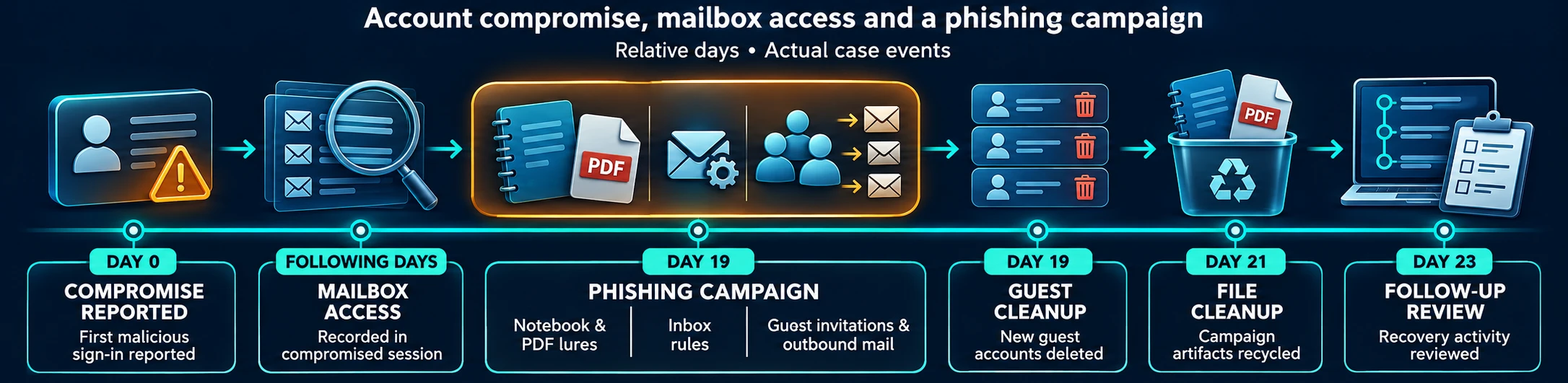
Figure 2. Supplied illustration of the compromise and response sequence. The graphic uses its own relative-day convention, rather than the article's day-one numbering. Generalized, illustrative.
View the response sequence at full size.
What the endpoints could and could not say
We checked every Company A computer that had a CrowdStrike sensor.
Within the data that existed, we found no activity indicating an intrusion.
We found no sign of movement between computers, credential theft, attacker persistence or new accounts, and no sign of tunnels, upload services or command and control traffic.
The words within the data that existed carry real weight.
The check used the sensor's data only, with no full local collection from the computers.
Full activity data covered only about the last week before the check, because that telemetry is kept for about seven days, and alerts and detections reached back about a week before day one.
The finding does not cover devices without a sensor, and 14 devices signing in to the company's Microsoft 365 had no computer with a matching name in CrowdStrike.
Some may simply have been renamed, some may be home computers, and each still has to be checked.
And the employee's own computer had been reset on the day of discovery, before anyone took a copy, so there was nothing left on it to examine.
Quiet endpoint data did not mean a quiet incident.
As far as the evidence shows, this attack was carried out in identity and mail, where an endpoint sensor has little to say, and that is the whole case for identity threat detection and response.
Seven days of memory
We never saw the first login.
On Company A's licensing, Microsoft Entra kept seven days of sign in history, so by the time anyone looked, the start of the attack had aged out.
Even paid Entra licensing keeps only 30 days.
For Company B's Google Workspace we had identity logs going back about six months, and mail and file logs going back about two.
Same incident, same people, very different memories.
Know your retention before you need it.
If your license keeps less than 90 days of identity and mail logs, move them somewhere that keeps more.
The tenant next door
Company B runs Google Workspace, not Microsoft 365, so on paper it sat outside the incident.
In practice the two companies shared people, computers and an office network.
That is why logins to Company B's accounts from Company A's office were expected.
We investigated Company B's tenant read only, through its audit logs, without reading the content of any mailbox.
The question was simple: had any Company B account been breached in the weeks around the incident?
The account that mattered was a shared mailbox.
It held super admin rights over the whole tenant, and its password had not changed for almost four months.
In Company A's compromised mailbox sat password notes whose subject lines pointed to a shared mailbox.
The attacker opened the first of them on day two and the other on day ten.
Company B's password was reset on the day of discovery, which leaves an exposure window of up to about 18 days.
We never opened the notes, so which one held Company B's password is an inference.
It rests on subject lines and on timing, and we wrote it that way.
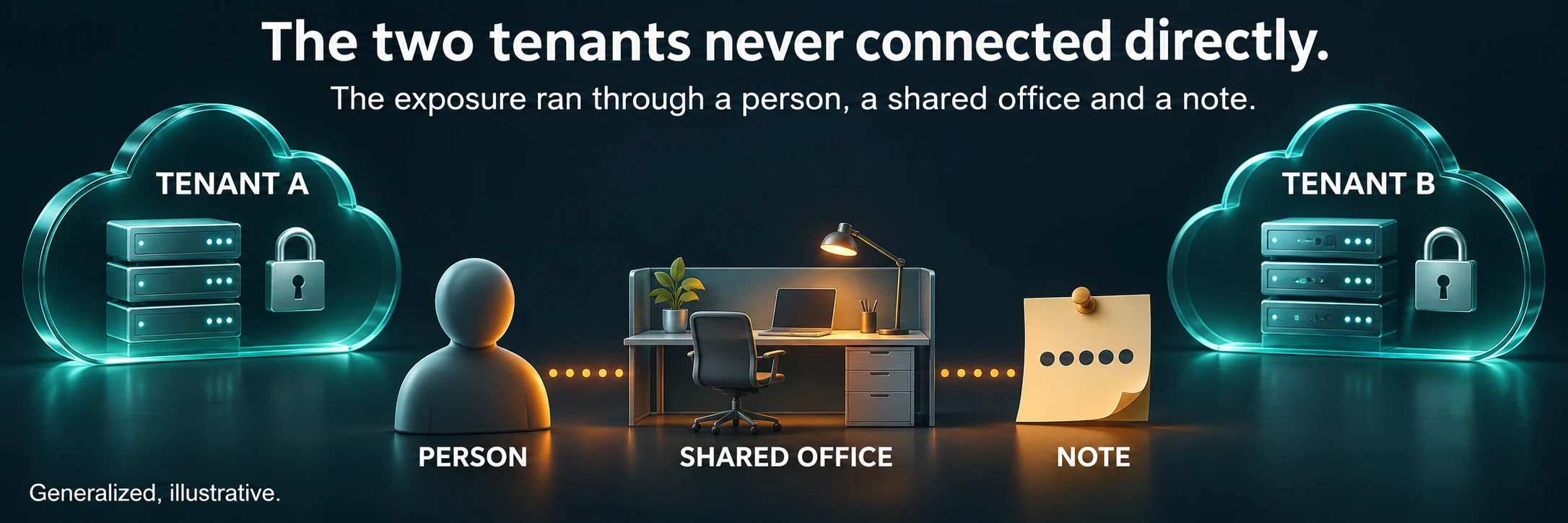
*Figure 3.
The two tenants never connected directly.
The exposure ran through a person, a shared office and a note.
Generalized, illustrative.*
Exposure is not use
Then we looked for use.
None of the 224 addresses tied to the attacker in Company A's incident, and no address in the same /24 range, appeared among the 859 addresses in Company B's Google logs.
During the exposure window the shared mailbox signed in only from Company A's office network: five successful logins, no failures and no verification challenges.
No setting on the account changed, and every admin event in the window was part of the response, on the day of discovery.
That is a strong negative.
It is not a clean bill of health.
A mail client using the password over IMAP would not have appeared as a login.
Neither would an app holding an OAuth token, or a session that was already open.
And the lists of app passwords, tokens and active sessions were not visible to our read only investigation account.
So we did not call it clean, and we did not call it breached.
We called it a possible breach at the credential level, with medium confidence.
That middle verdict is less satisfying to write and more useful to read, because it tells the customer exactly what to do.
Treat the credential as burned.
Disconnect every session, check app passwords and tokens, move the recovery address under company control and take super admin rights off the shared mailbox.
One more finding sharpened the point.
The shared mailbox's recovery address was a private address belonging to one person, outside the company's control.
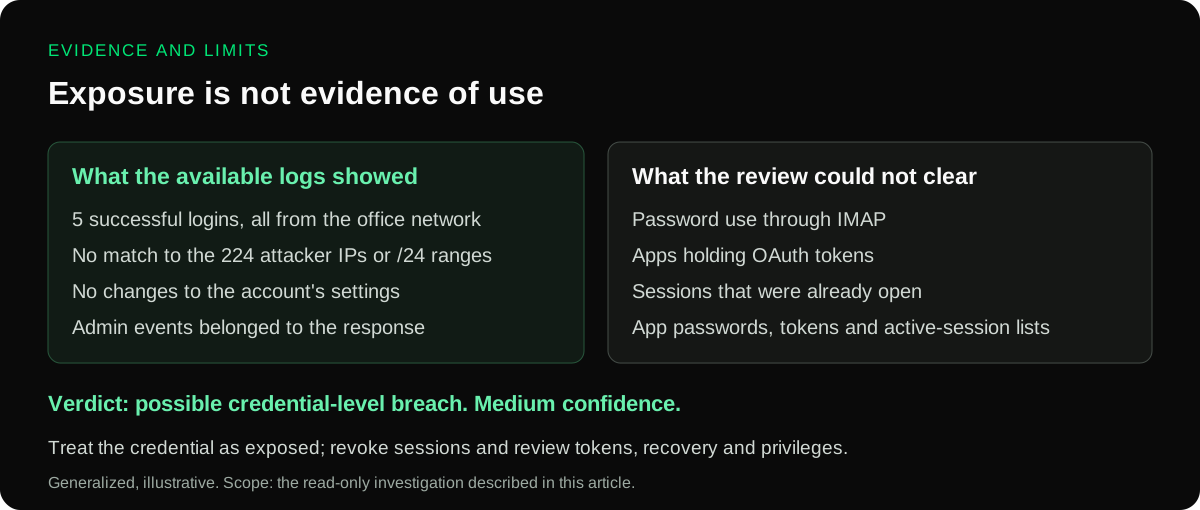
*Figure 4.
What the Google logs could prove, and what would never have appeared in them.
Generalized, illustrative.*
What would have made this smaller
The items below follow the recommendations in this case.
Block the device code flow.
Unless you have a documented need for it, block it with a Conditional Access authentication flows policy, which needs Microsoft Entra ID P1, and restrict who can join or register devices.
Treat a reset as the start of eviction, not the end.
Revoke sessions, delete any device you do not recognize, and check inbox rules including hidden ones, forwarding, app consents and sharing links.
Then watch the account before you put it back into use.
Keep passwords out of email.
An attacker inside a mailbox will search it, and a Sent Items folder full of password notes is a gift.
Use a password manager.
Never give super admin rights to a shared mailbox.
Use personal admin accounts with phishing resistant MFA, and keep every recovery address under company control.
Keep at least 90 days of identity and mail logs.
Store them outside the tenant if your license keeps less.
Alert on the quiet signals.
Device code logins, new device registrations, new inbox rules and new app consents each deserve an alert.
Verify any change to payment details by phone.
Use a number you already hold, never one taken from the email asking for the change.
Checks you can run today
These commands come from the response checklist in this case.
The first two only read, the last two change things, and all four are starting points rather than a full playbook.
# The first three run in Exchange Online PowerShell (Connect-ExchangeOnline)

# Inbox rules, including hidden ones
Get-InboxRule -Mailbox user@example.com -IncludeHidden

# Forwarding set on the mailbox itself
Get-Mailbox user@example.com | Format-List ForwardingAddress,ForwardingSmtpAddress

# Change: block automatic forwarding outside the organization
Set-HostedOutboundSpamFilterPolicy -Identity Default -AutoForwardingMode Off

# Change: revoke every session before an account goes back into use
# Microsoft Graph PowerShell, Connect-MgGraph with the User.RevokeSessions.All scope
Revoke-MgUserSignInSession -UserId user@example.com
If your Entra sign in logs reach a Microsoft Sentinel workspace, this is a starting shape for finding device code logins.
Look at non interactive logins too, because that is where the token refreshes of a stolen session show up.
Confirm the field names against your own data before you trust an empty result.
union isfuzzy=true SigninLogs, AADNonInteractiveUserSignInLogs
| where AuthenticationProtocol =~ "deviceCode" or OriginalTransferMethod =~ "deviceCodeFlow"
| summarize Logins = count(), FirstSeen = min(TimeGenerated), LastSeen = max(TimeGenerated)
    by UserPrincipalName, AppDisplayName, IPAddress, Type
A query that has never returned a hit has proven nothing by returning nothing.
One attack surface, two clouds
Company A ran Microsoft 365.
Company B ran Google Workspace.
The attacker did not need to care, because the exposure between them ran through a person, a shared office and a note in a Sent Items folder.
If your organization spans more than one tenant, your exposure may too.
So ask the question before you need the answer: which of your accounts could someone reach from another company's mailbox?
If you want help answering it, or running down an incident that may have crossed that line, talk to our incident response team.
Explore QMasters and our approach to SaaS security.
FAQ
Frequently asked questions.
Device code phishing is an attack in which the victim is persuaded to type a short code into Microsoft's genuine sign in page. Entering the code approves a login for the attacker on another device, so the attacker receives tokens without ever seeing the password, and there is no fake login page for the victim to notice. The victim completes their own MFA on the real page, so MFA alone does not stop it. In the case described here, the lure the attacker later sent showed a page styled as a protected document, with a code to enter on Microsoft's sign in page.
Because the password was not the attacker's only way in. In this case, by our reading of the records, the attacker's session was in use again about ten minutes after the password reset and token revocation, and the attacker read the company's warning messages and launched a phishing campaign from the account. After a second revocation, a block on the account and deletion of the device the attacker had registered, follow up checks found no further logins from the attacker's addresses. Inbox rules, sharing links and app consents still had to be checked.
Through people and data rather than through the platforms. The compromised Microsoft 365 mailbox held password notes in its Sent Items folder, and one of them most likely carried the password of a shared mailbox with super admin rights in a related company's Google Workspace. The two companies shared people, computers and an office network, so the exposure from one breached mailbox reached across the tenant boundary.
It means a credential was most likely exposed to an attacker, but there is no evidence it was used. In this case none of the 224 addresses tied to the attacker appeared in the Google Workspace logs, and during the exposure window the account signed in only from the related company's office network, with no setting changed. Some kinds of use, such as a mail client signing in over IMAP or an app holding an OAuth token, would not appear as a login, so the account was treated as exposed rather than cleared.
Block the device code flow with a Conditional Access authentication flows policy unless there is a documented need for it, which requires Microsoft Entra ID P1. Restrict who can join or register devices and require MFA for it. MFA alone does not stop this attack, because the victim completes a genuine sign in. Alert on device code logins, new device registrations, new inbox rules and new app consents, and keep at least 90 days of identity and mail logs so the first login is still there when you need it.
ABOUT THE AUTHOR
Practitioners from the QMasters Security Operations Center. We run 24/7 monitoring, detection engineering, and incident response for organisations across regulated industries — and write here from the offense and defense work in front of us.